i.
Watches wherever it lands
A hot folder off the scanner, a network share, an FTP/SFTP drop, or a mailbox: IMAP or POP3, with proper OAuth2 login for Microsoft 365 and Google Workspace inboxes, not just a stored password.
 Software · Document automation
ScanWright watches wherever your paperwork lands: a scanner’s hot folder, a network share, an inbox. It reads the page, works out what it’s looking at, finds the matching record in the software you already run, and files, renames or emails it, all before anyone’s touched a mouse. Built and supported by Border Tech Solutions; runs quietly in the background as a Windows service.
Free 14-day trial on every install · 30-day money-back guarantee
Every business has some version of the same problem: paperwork comes in on paper, and someone has to read it, work out what it is, and type it into whatever system actually runs the business. ScanWright is the bit in between.
A hot folder off the scanner, a network share, an FTP/SFTP drop, or a mailbox: IMAP or POP3, with proper OAuth2 login for Microsoft 365 and Google Workspace inboxes, not just a stored password.
Auto-deskew and auto-rotate, auto-enhance, and blank pages stripped out before anything else touches the file. Garbage in, garbage out; this is the bit that stops it.
OCR pulls the text off a scanned page or a printed report. Barcode and QR scanning reads a code straight off the document where there already is one, no OCR needed.
Classifies the document by keyword, then pulls out the one field you actually need: a serial number, a patient ID, a rego, an invoice number, with a plain pattern. No coding required to set it up.
Looks the extracted value up against the database or API behind your practice management, job, or accounting software, and pulls back the record that matches: the open job, the right patient, the right invoice.
Renames and moves the file into the right folder, appends a line to a log, calls a web API, emails the right person with the document attached, or pops a tray notification. Nothing found? It branches, and flags it for a human instead of silently dropping it.
Every flow is built on a visual canvas: drag a node down, wire it to the next one, test it against a real file before it goes anywhere near production. Layout below, mocked up rather than pulled from a real client's flow.
A flow is built around your paperwork and your software, not the other way round. Here’s the shape of a typical one.
Point ScanWright at wherever the paperwork already lands: the scanner’s hot folder, a network share, an FTP/SFTP drop, or a mailbox.
Deskew, enhance, strip blank pages, then OCR or barcode-scan the page to get the text or code off it.
Work out what kind of document it is, and pull the one field that matters: a serial number, a patient ID, a rego, an invoice number.
Look the value up in your software’s database or API, then file, rename, log, email or notify, on the matched path and the unmatched one.
Every flow gets run against a real sample file inside the designer before it goes live, and every run afterwards is logged, so you can see exactly what happened and why.
Some jobs need a dozen nodes: splitting batches, classifying by keyword, matching serials against a database, branching on confidence. Others need two: watch a folder, move the file. Both are the same tool, wired differently. What it looks like on your machine depends entirely on your workflow, not on ScanWright. Set it up once, and the person on the ground doesn’t see any of it: walk up, hit scan, ScanWright does the rest.
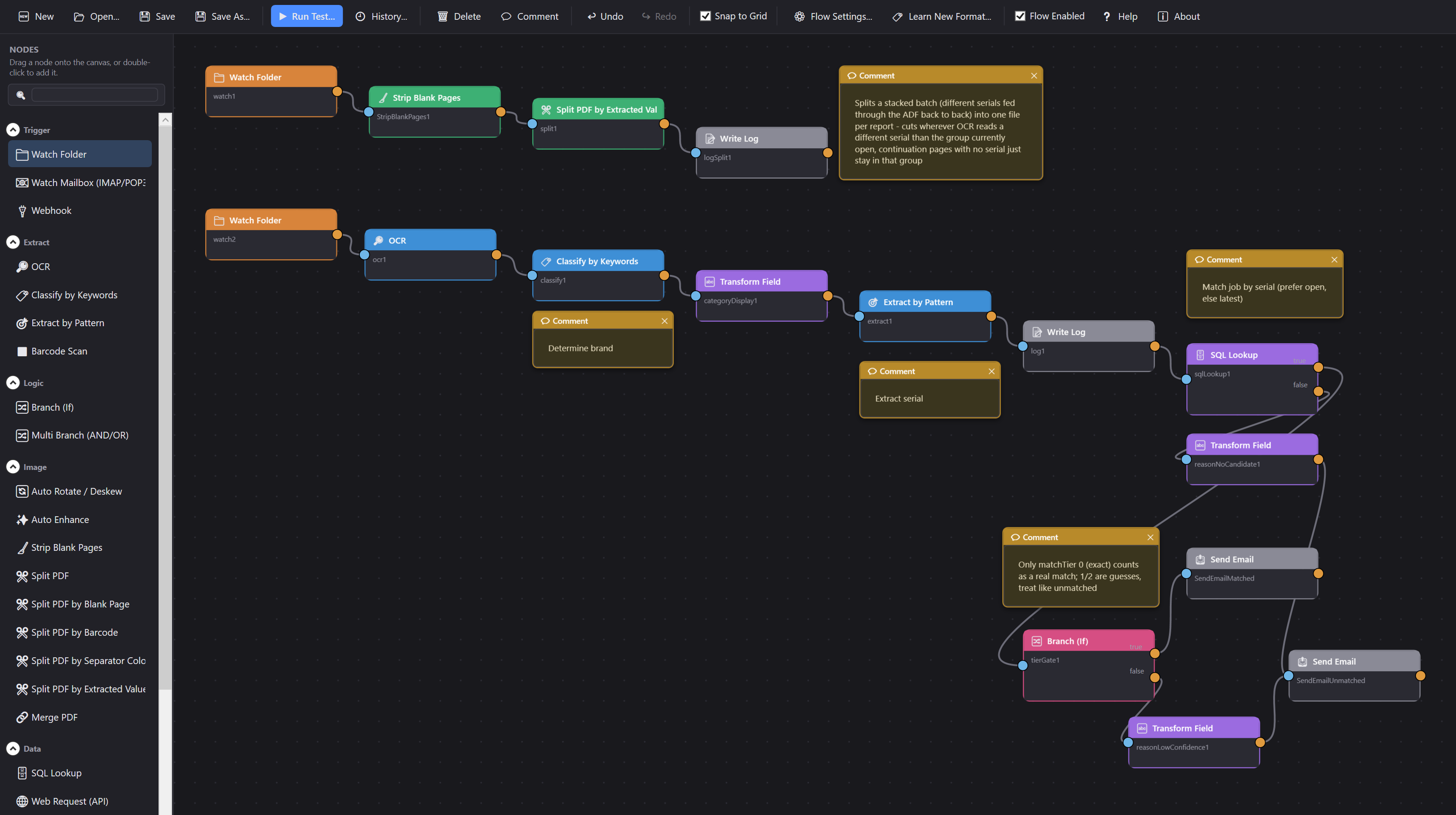
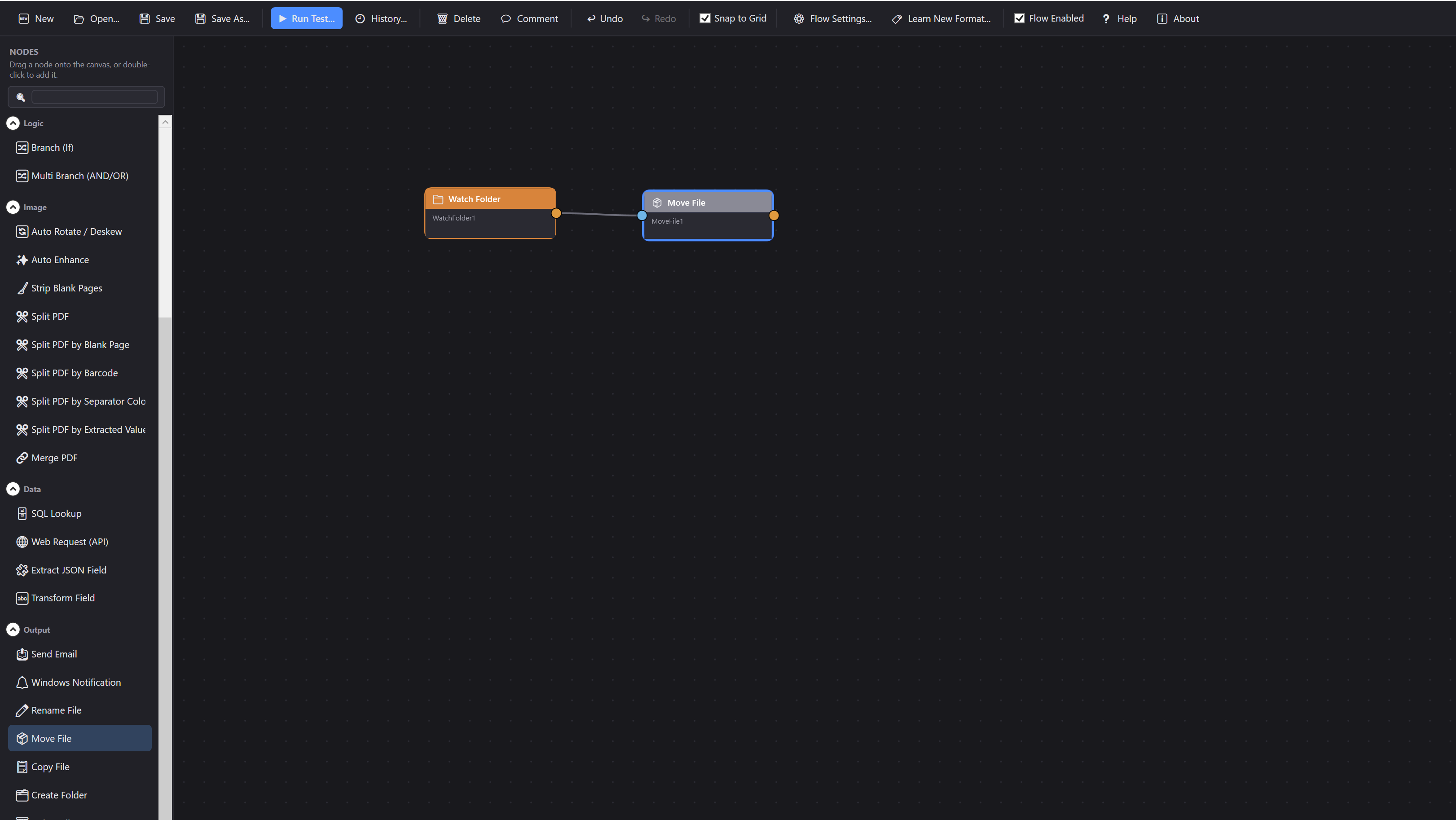
Illustrative, not a client list; the shape of the problem is the same across most trades that still scan paper into a screen by hand.
A referral letter or a pathology result comes off the scanner. ScanWright reads it, works out which patient it belongs to, and drops it straight into that patient’s file in the practice management system, instead of a receptionist renaming PDFs by hand between patients.
A completed job sheet or a supplier invoice hits the scanner. ScanWright reads the rego or the customer name off it, finds the matching customer folder on the shop’s server, and files it there, so every customer’s paperwork ends up in one place without anyone touching a mouse.
A printed service report comes off the machine being repaired, or lands in an inbox. ScanWright reads the serial number, looks up the open job in your job-management software, tags the report to the right invoice and emails it to whoever needs to see it, or flags it for a human when nothing matches.
Not on the list? If it’s paper coming in and a screen it needs to end up on, it’s probably a flow. Tell me what you scan and what it needs to land in, and I’ll tell you straight whether it’s a fit. support@bordertechsolutions.com.au
No tiers, no feature-gating: every machine gets the full flow designer, every connector, OCR and barcode reading, all of it. Pick monthly, annual, or buy it outright. Prices below already have 50% off through 17 March 2027; list price is $39/mo, $299/yr or $799 once-off, and it reverts automatically once the promo ends.
Was $39/mo. 50% off through March 2027.
Billed month to month, per machine. Cancel any time.
Best for: trying it properly past the 14-day trial before committing to a year, or a machine that only needs it for a season.
SubscribeWas $299/yr. 50% off through March 2027.
One bill a year instead of twelve, per machine.
Best for: a flow that’s already earning its keep and isn’t going anywhere.
SubscribeWas $799. 50% off through March 2027.
Own the licence outright, per machine. $149/yr optional from year two if you want ongoing updates & support. That fee isn’t discounted.
Best for: a budget that does one-off capital spends, not recurring line items.
Buy nowHow to get set up Download it and run the free 14-day trial against your own paperwork first. Buy any tier and the key lands in your inbox straight after payment, Monthly and Annual are self-serve now too. Not right for you within 30 days of buying? Full refund, no argument. Already on Monthly or Annual? Cancel or switch billing periods yourself any time from My Account, no email required. Anything else: support@bordertechsolutions.com.au
Fourteen days against your own paperwork, no card needed. If it does what you need, pricing’s above; support will get you licensed on whichever plan suits.